Latest
Notes on Entra, Microsoft 365, Azure, SCCM and the automations that hold it all together.
- SCCM 132
- Casper 32
- PowerShell 23
- OSD 11
- PowershellUniversal 9
- Mac 8
- Preventative SCCM Monitor and Troubleshoot Website 8
- Shell Script 7
- Active Directory 5
- sql 5
- wsus 5
- sccm cmg 4
- Tools 4
- 802.1x 3
- AutoIt 3
- automation 3
-
Jul 29, 2026
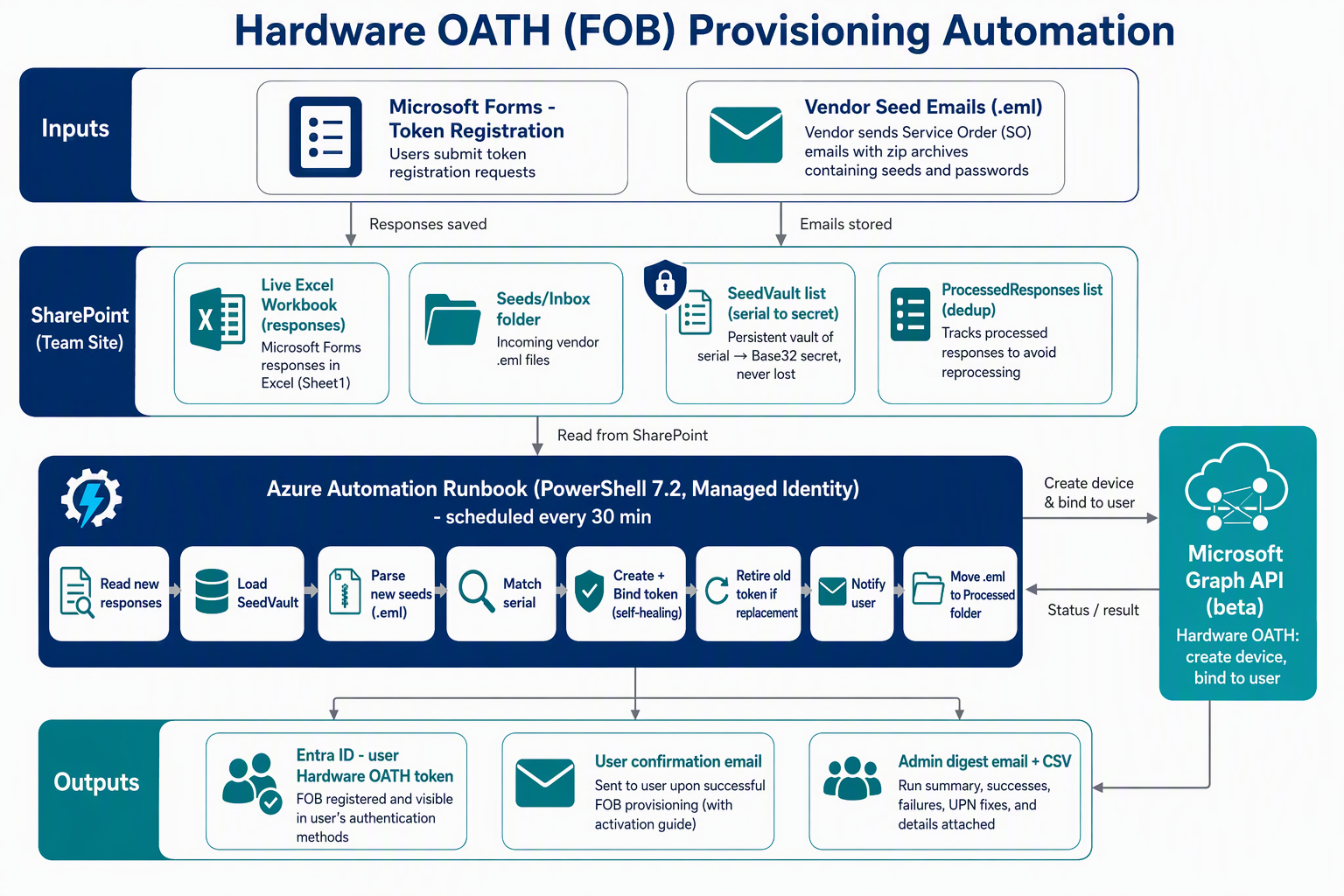
Automating Hardware OATH (FOB) MFA Provisioning with Azure Automation & Microsoft Graph
A practical, end-to-end guide to automating hardware OATH (FOB) token provisioning in Microsoft Entra ID using Forms, SharePoint, Azure Automation, and Graph.
-
Jul 21, 2026
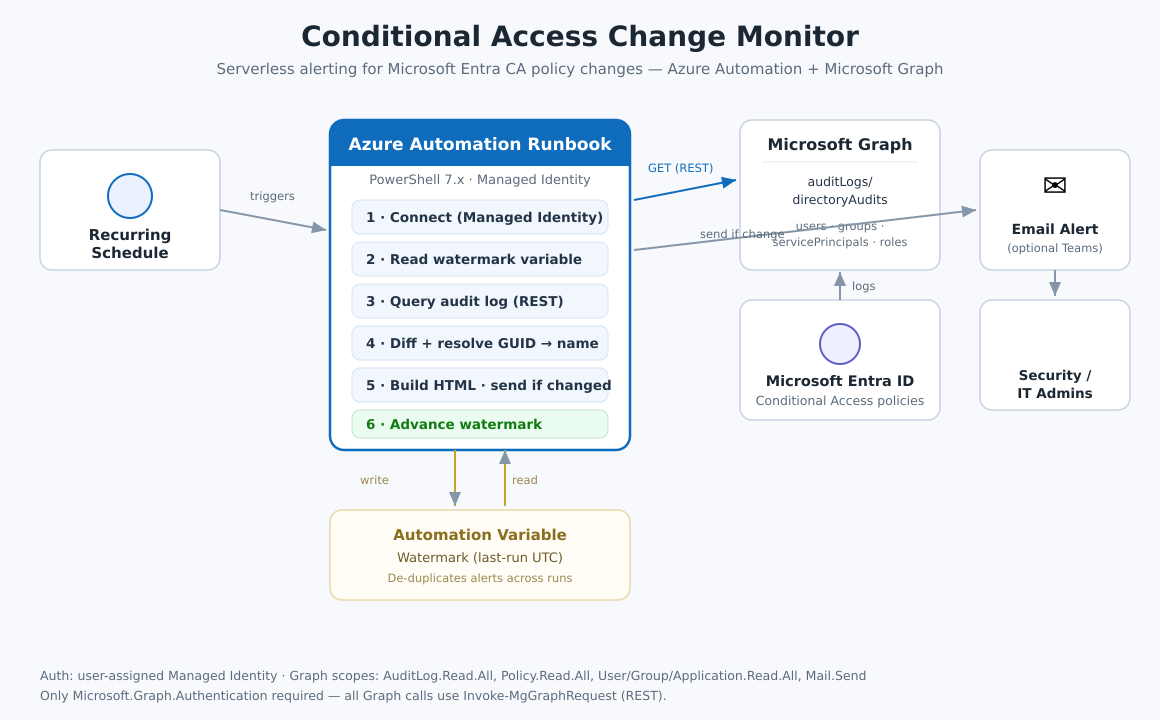
Serverless Conditional Access Change Email Alerts with Microsoft Graph
Build a serverless email alert that fires whenever a Microsoft Entra Conditional Access policy changes — showing who did it and a field-level diff. Full runbook included.
-
Jul 14, 2026
How to Automate SharePoint Site Requests — Part 4: The Form and Lessons Learned
Build a Power Apps intake form with live validation for SharePoint provisioning. Plus 7 hard-won lessons including the newline bug & permission tricks.
-
Jul 14, 2026
How to Automate SharePoint Site Requests — Part 3: The Creation Engine
Create SharePoint sites with an Azure Automation runbook using PnP.PowerShell & certificate auth. Includes a bank-grade permission model tutorial.
-
Jul 14, 2026
How to Automate SharePoint Site Provisioning with Power Platform (Part 1: Setup)
A complete, real world guide to building a self service SharePoint provisioning platform that saves 500+ engineer hours per year. This is Part 1 of a 4 part series. The Problem Every Enterprise Faces...
-
Jul 14, 2026
Power Automate Approval Workflows for SharePoint Provisioning (Part 2)
Build multi-stage Power Automate approval flows for SharePoint provisioning. Includes manager + admin approvals and the SharePoint newline bug fix.
-
Jul 14, 2026
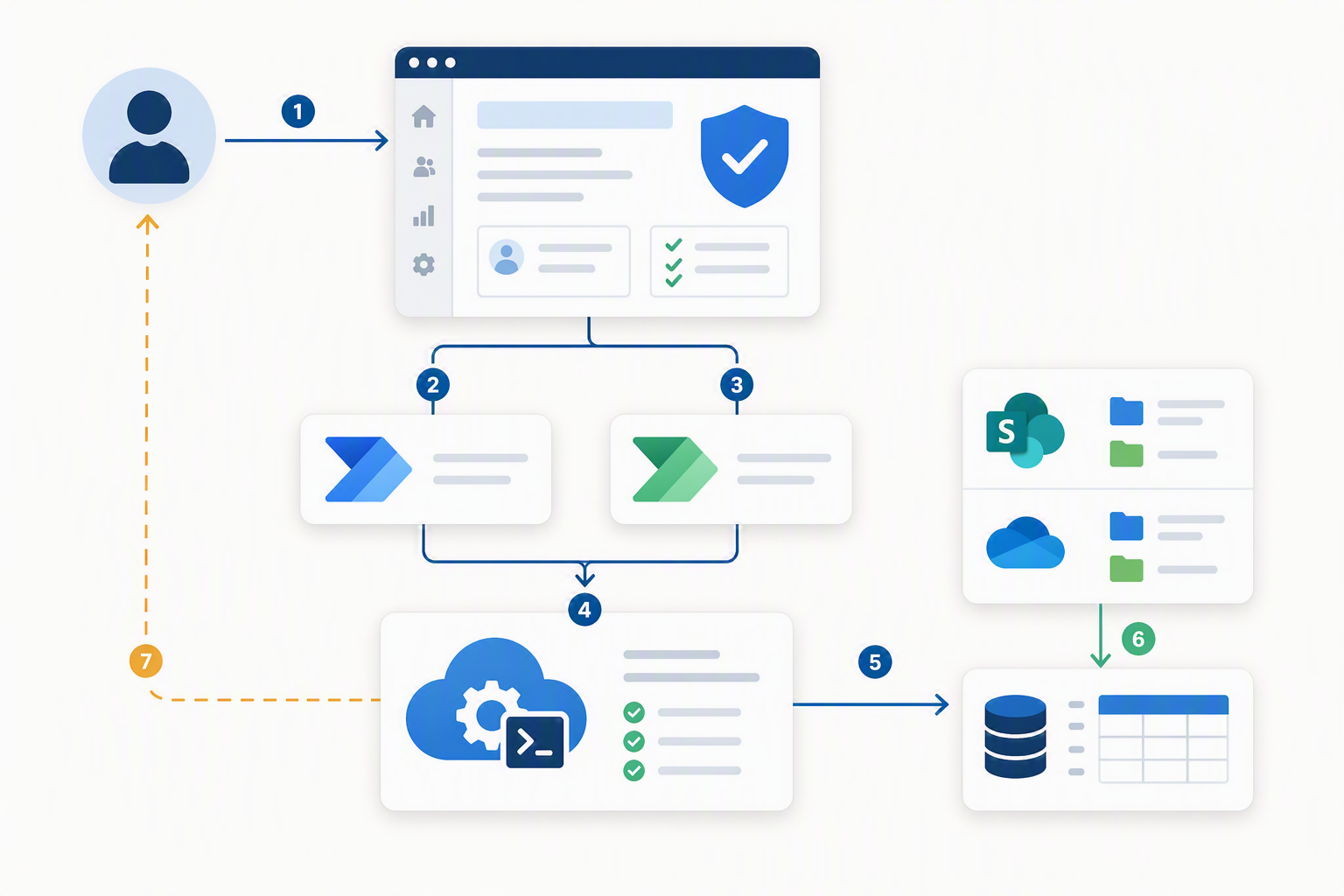
Building a Self-Service SharePoint Permission Checker
If you run an M365 environment, you know the tickets: “Who has access to this site?” and “Does this person have access to that folder?” They arrive constantly, and answering them by hand in the...
-
May 4, 2026
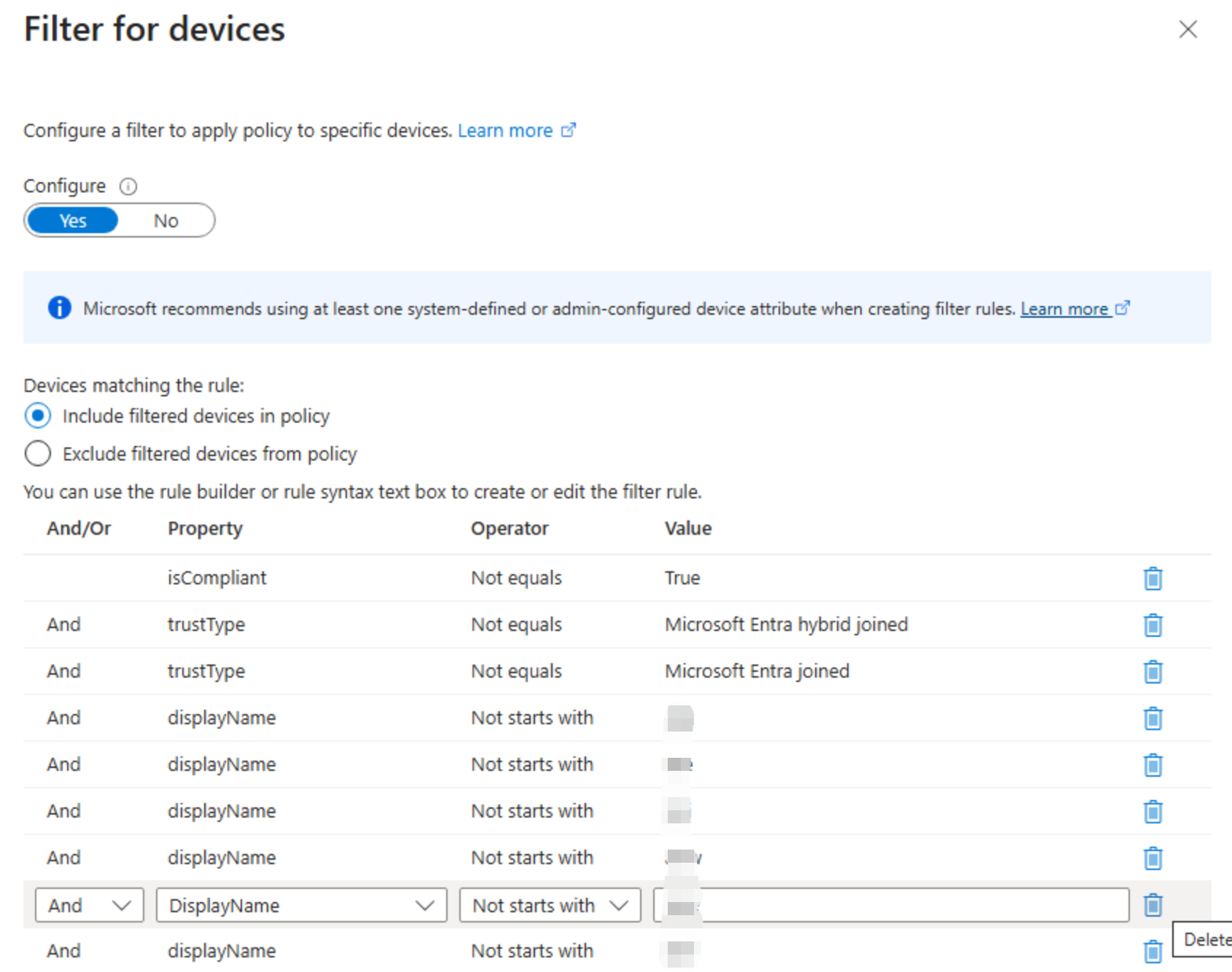
Unmanaged devices in Entra Conditional Access Policy
In a recent task, I was asked to target unmanaged devices in the environment, which means excluding Intune enrolled mobile devices, on prem AD joined servers (not Entra joined), and hybrid joined...
-
Apr 26, 2023
Automated Intune Devices Report via Azure Automation with Managed Identity
Before I was using Niel's guide to set up the monthly Intune devices report via Azure Automation. Since Microsoft is retiring "run as " account in September this year, I have to switch to managed...