SCCM Visio / Project Uninstaller Package
It was such a pain to create a sccm visio/project package for this ! I tried a few different ways of msi uninstall via the product code, all failed. then I started using the setup /uninstall , success, but keep force reboot after the installation no matter what settings I changed. Finally now I got it working: Here are the commands to initial the installation, depends on you are using Professional or Standard version of your Visio/Project:
setup.exe /uninstall PrjPro /config PrjPro.WW/config.xml setup.exe /uninstall PrjStd /config PrjStd.WW/config.xml setup.exe /uninstall vispro /config vispro.ww/config.xml setup.exe /uninstall Visio /config visio.WW/config.xml
And here is the two lines you need to add to the config.xml:
The first line is to get rid of all the annoying notifications, and the second line is to disable the force reboot!
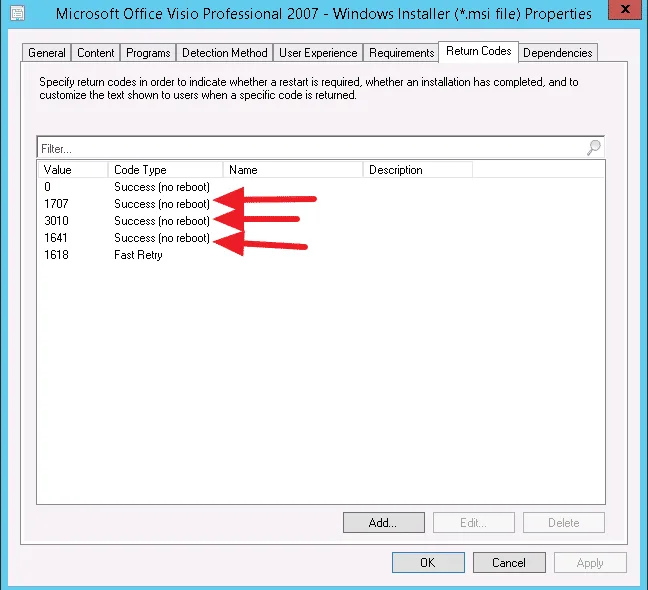
Also, inside the return codes, I changed hard reboot and soft reboot to no reboot: