How to Set up SCCM SSRS Email Notification
First go to your SQL Reporting server, and launch “Reporting Services Configuration Manager”:
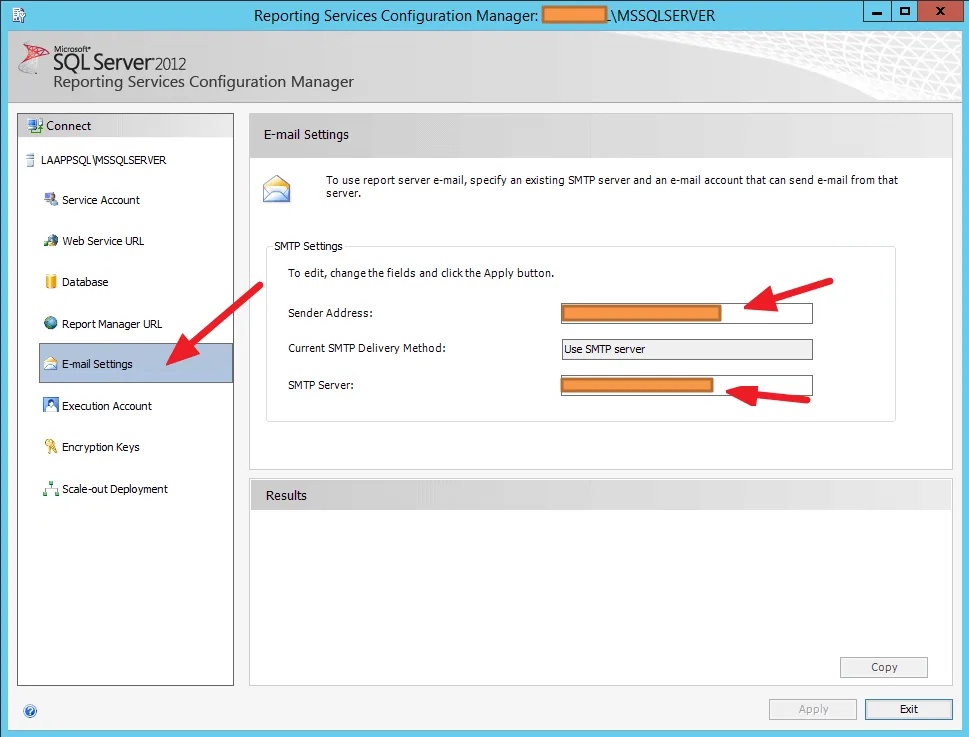 It is best to use an internal SMTP server. And once you have set it up, you can use this Powershell script to test if your email function is working:
Write-Host “Sending Email” $smtpServer = “xxx.CORP.LAN” $msg = new-object Net.Mail.MailMessage $smtp = new-object Net.Mail.SmtpClient($smtpServer) $msg.From = “[email protected]” $msg.To.Add(“[email protected]”) $msg.subject = “SMTP Server Test” $msg.body = “SMTP Server Configuration is correct” $smtp.Send($msg) Write-Host “Email Sent”
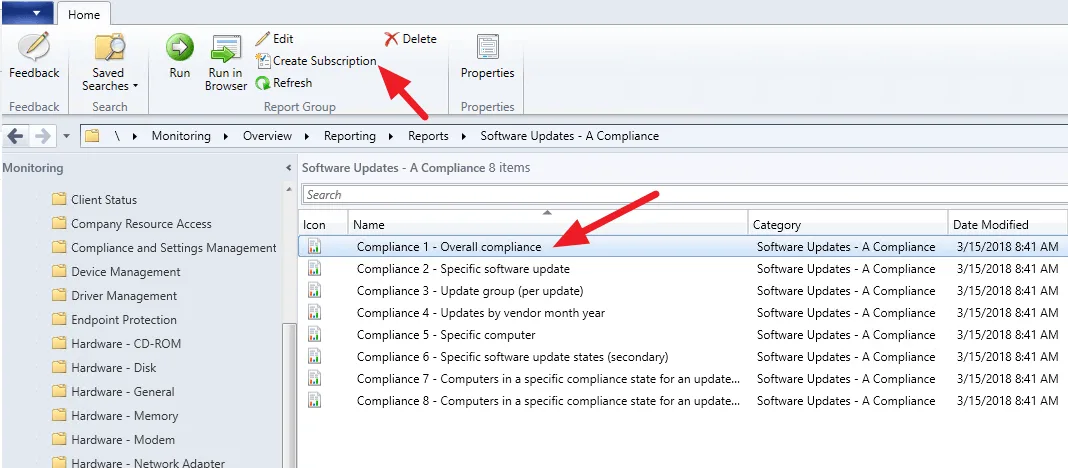
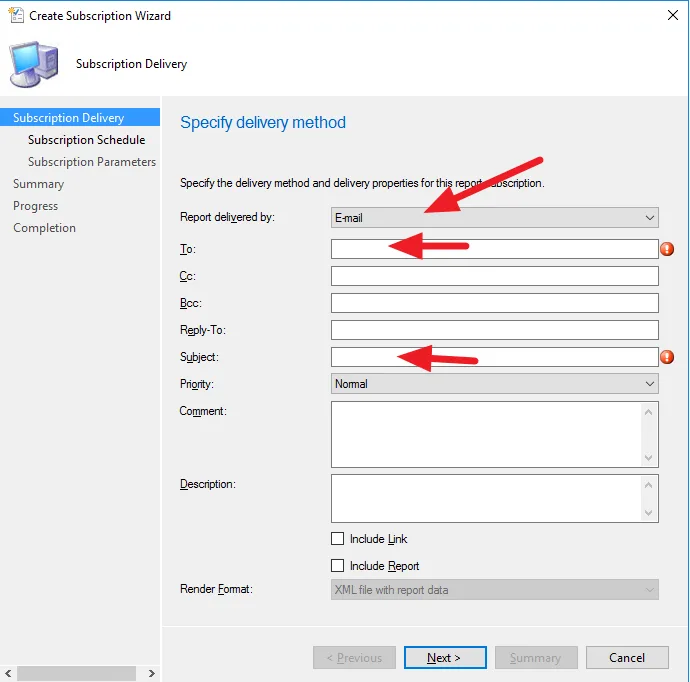
Once you can get the test email, now go back to SCCM Server, you can start creating a subscription:
 If you need to get the external SMTP working, probably you need a virtual SMTP server:
http://gaurangpatel.net/setting-up-smtp-server-in-windows-to-use-gmail
If you need to get the external SMTP working, probably you need a virtual SMTP server:
http://gaurangpatel.net/setting-up-smtp-server-in-windows-to-use-gmail