How to Create Custom Java MSI Installer with Auto Update Disabed for SCCM
Here is the simple guide on how to create custom java msi installer for SCCM with auto update disabled.
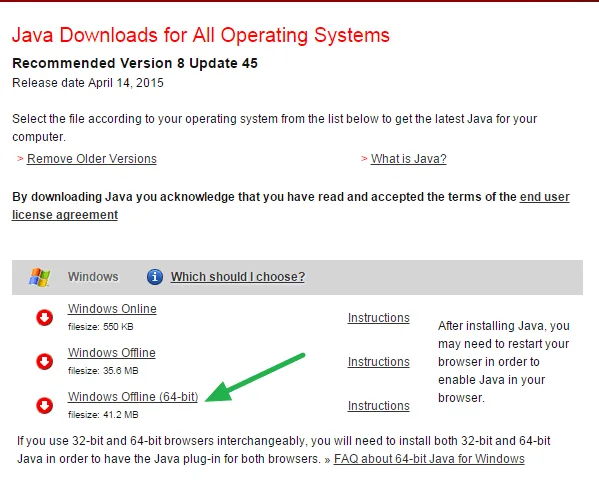
- Go to www.java.com/en/download/manual.jsp to download the windows offline version installer.
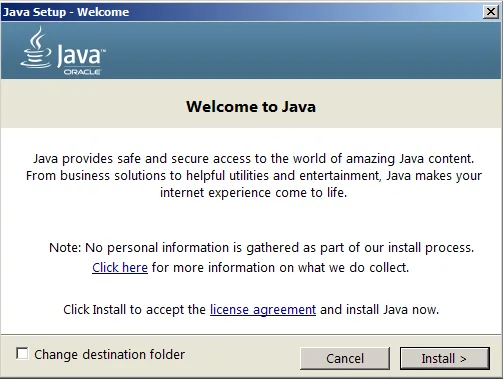
- Run Installer, when you see “Welcome” screen, stop right here!
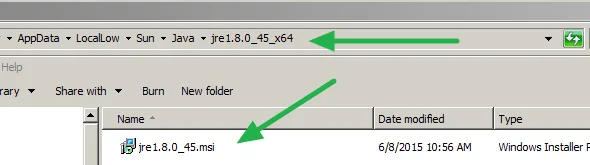
 3. Go to %LOCALAPPDATA%Low\Sun\Java folder to find MSI installer, and then copy to a place you want to save.
- Download and Install ORCA from Microsoft (Orca.exe is a database table editor for creating and editing Windows Installer packages and merge modules.) https://msdn.microsoft.com/en-us/library/aa370557(v=vs.85).aspx
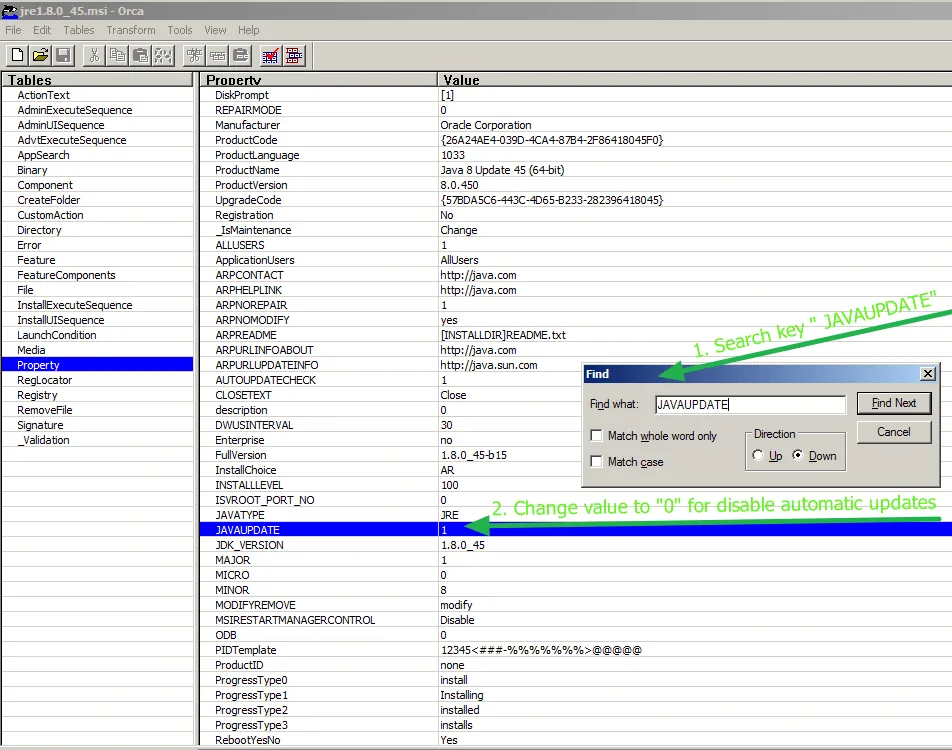
- Run ORCA, and open the Java MSI Installer you saved:
5.1 Change AUTOUPDATECHECK from 1 to 0. This disables update check during installation.
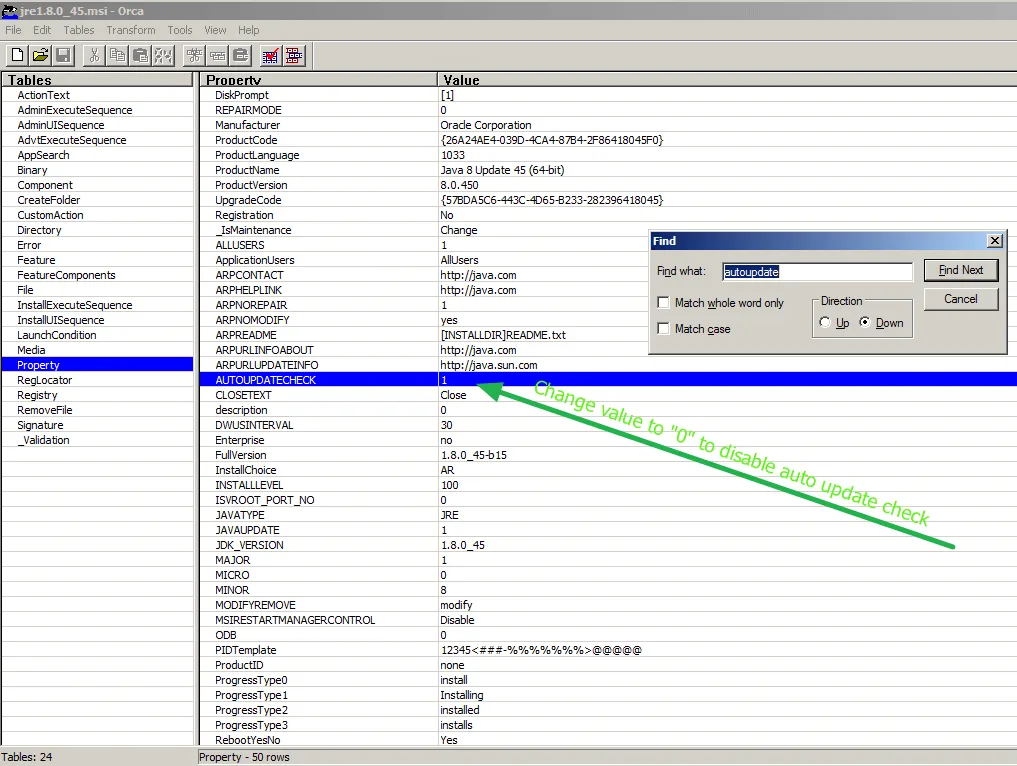 5.2 Change JAVAUPDATE from 1 to 0. This disables automatic updates.
- Click Save to update the MSI file you need! and you are done :)