How to Change Office2016 Author Info
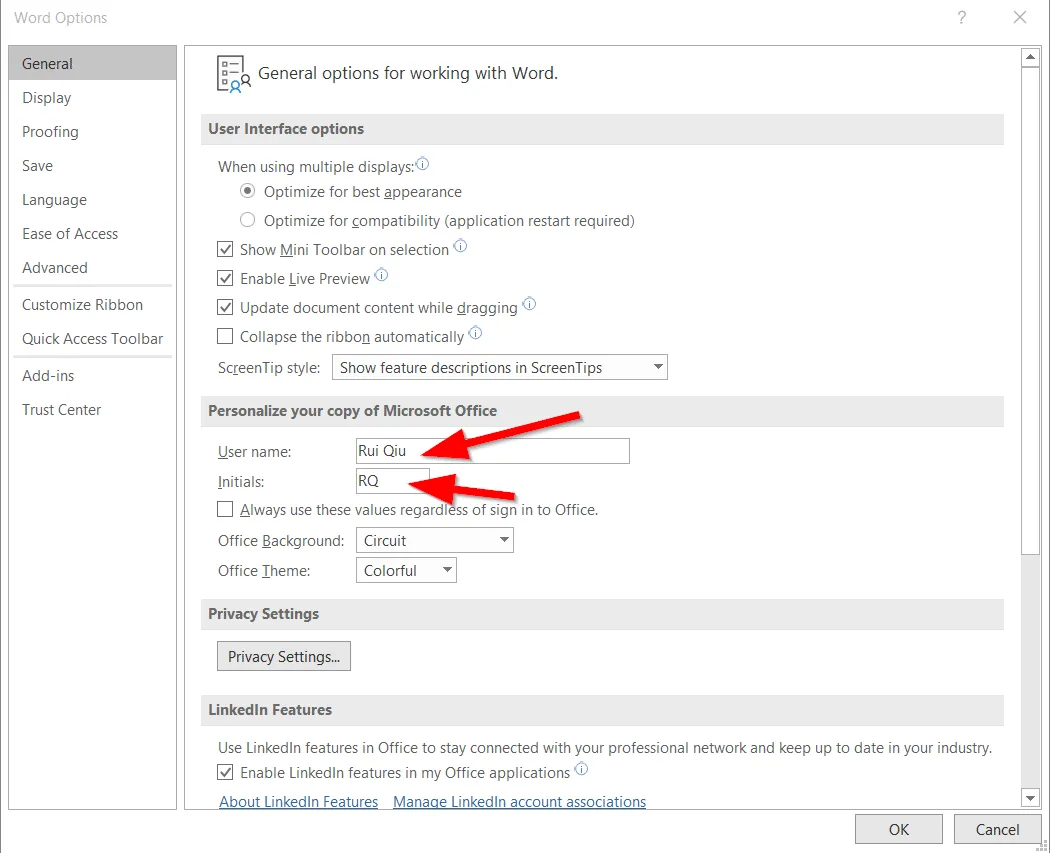
Here are my thought process to create a SCCM Application to change Office 2016 author info:
1. How do we know the current name for office?
$Path = "HKCU:\Software\Microsoft\Office\16.0\Common\UserInfo" $Result = Get-ItemProperty -Path $Path $Result = $Result.UserName
2. Discover Script
If($Result -eq "Default User") {} Else {Write-host "installed" }
3. Fix
In our environment, our current domain username is like abcd\firstname.lastname
3.1 find out current username 3.2 change registry value
$user = [System.Security.Principal.WindowsIdentity]::GetCurrent().Name $result = $user.substring(5) $initial = $result.substring(0,1) + $result.split(".")[-1].substring(0,1) $newuser= $result.replace("."," ") Set-ItemProperty -Path $Path -Name "UserInitials" -value $initial Set-ItemProperty -Path $Path -Name "UserName" -value $newuser
4. Upload to SCCM